Your locker opens for you.

Biometric face and palm recognition opens every locker in the building, with a QR code as the alternative. Personal, shared, courier and bike lockers run on one identity. No keys to hand out, none to lose.
Recognition time 0.12 s
Locker types 4
Keys to issue 0
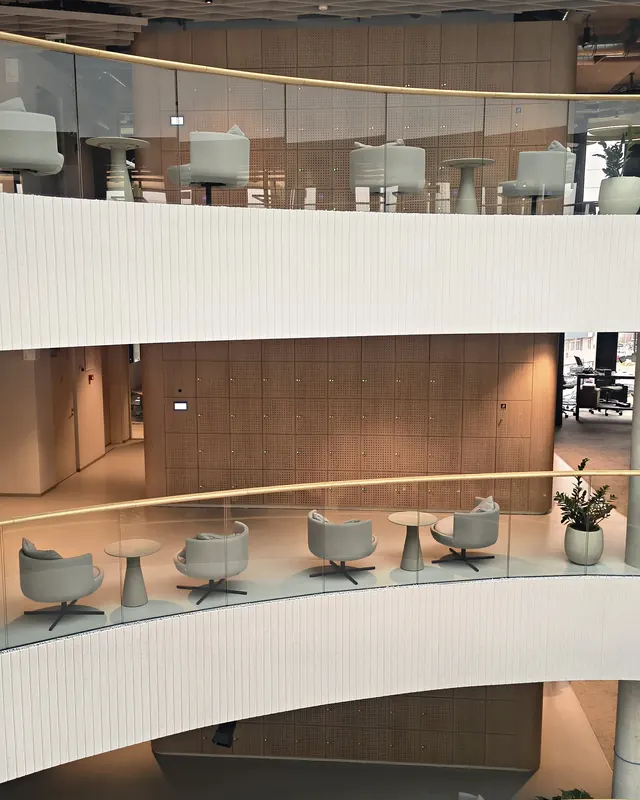
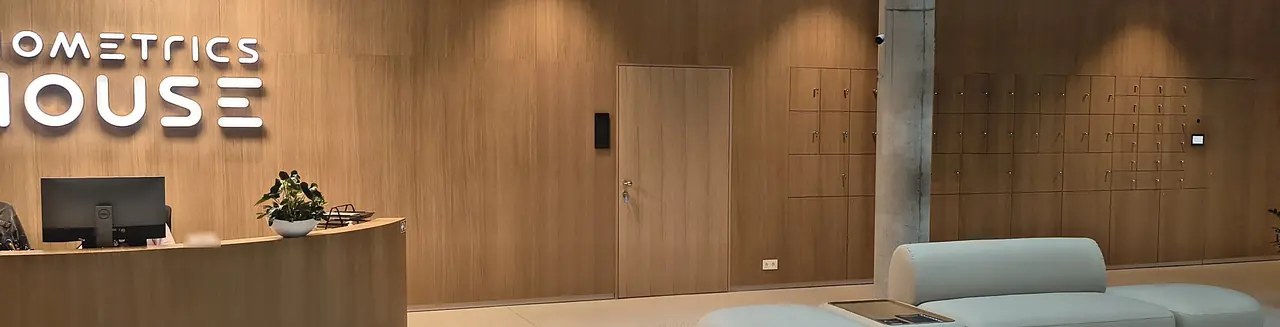
The Biometrics House atrium in Bratislava, with oak locker banks on three floors, one above the other
Biometrics House, Bratislava: locker banks on every floor.
The problem

Keys, cards and PINs turn every locker into admin work.

Keys get lost

A lost key can mean a cut lock, a new cylinder and another ticket for the facility team.

Lockers get hoarded

Shared lockers stay taken for months by people who no longer use them.

Reception fills up

Parcels and lunch deliveries pile up at the desk while someone chases the recipients.

One more credential

A separate card or PIN for lockers is another thing to issue, reset and revoke.

How it works

Walk up, look at the camera, open.

A round camera set into a wooden locker bank above the locker touchscreen
01

Walk up

Face recognition with a liveness check knows you in about 0.12 s. A palm or a QR code works too.
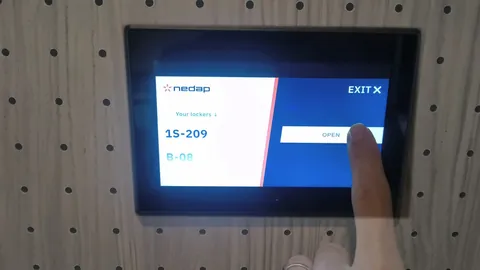
A finger presses Open on the touchscreen, which lists the person’s lockers
02

Pick your locker

The touchscreen shows the lockers that are yours. Tap the one you want to open.
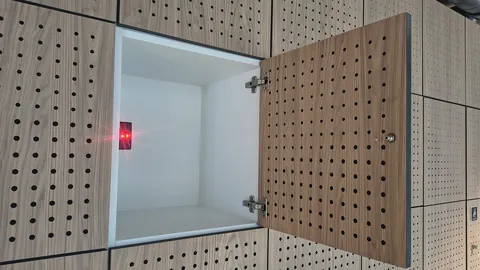
An open locker in a perforated oak locker bank
03

It opens

The lock releases and the light flashes. It locks again when you close the door.

Biometrics

Your face or palm is the key. A photo of it is not.

Biometric

Face recognition

Look at the camera and your lockers come up on the screen. No card, no key, about 0.12 s.

Biometric

Palm recognition

Hold up a palm instead. Handy with a helmet, mask or hood on.

Alternative

QR code

A dynamic QR code on your phone, for visitors or anyone who prefers not to use biometrics.

Liveness check

Only a live person opens a locker.

A face shown on a phone screen or printed on paper is rejected. Recognition and liveness run on your own server, and camera images stay with you.
  • Phone photo — rejected
  • Printout — rejected
  • Live face — accepted
Four locker types

One system for every kind of locker.

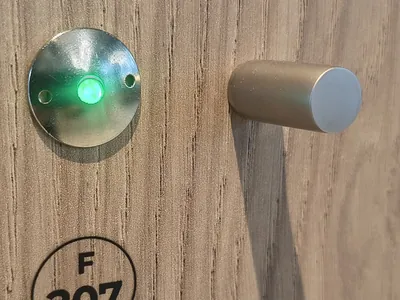
Close-up of oak locker F-207 with a green status light beside its handle
01

Personal & team

Desk-side storage, and spare lockers for teams. Picked once on the touchscreen; after that, a look at the camera brings it up.
Assigned by
The user; facility for teams
Frees up
When facility reassigns it
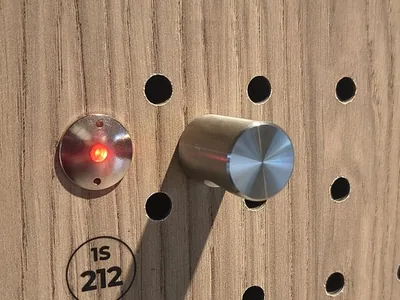
A shared locker with a red light next to its handle: taken
02

Shared

Changing rooms, gyms and flexible desks. A green light means free, red means taken.

Assigned by
Anyone, any free locker
Frees up
When the user releases it
An open insulated food locker in the Biometrics House bistro
03

Courier & food

Parcels and lunch deliveries. Reception assigns the locker and the recipient gets an email.

Assigned by
Reception, to the recipient
Frees up
On pickup, or at a set hour
A bike rack in the garage with a lock and a tablet on the wall
04

Bike & storage

Bike racks, scooters and equipment. Palm recognition works with the helmet on.
Assigned by
The user, at a tablet
Frees up
When the user releases it
Courier & food

Parcels and lunch wait in a locker. Everyone gets the right email.

The Biometrics House lobby: the reception desk under the Biometrics House sign and the delivery lockers with their touchscreen on the same wall
Delivery lockers next to reception at Biometrics House.
  1. 01 Drop it in Reception puts the parcel or lunch in a free locker.
  2. 02 Email sent The recipient is told which locker, straight away.
  3. 03 Face pickup Look at the camera, tap the locker, and the door opens.
  4. 04 Auto-release Once emptied, the locker frees itself.
01 · Locker assigned
Inbox Mon 13:25

Courier Item Delivery

Tricsy to me

Dear Alex,

Good news from the ground floor! At 13:25, a delivery addressed to you was placed into delivery locker M-202.

It is safe, secure, and waiting patiently for you.

Always efficiently yours,
Tricsy

02 · Daily reminder
Inbox Mon 17:00

Courier Item Reminder

Tricsy to me

Dear Alex,

Just a friendly system check-in. You currently have items stored in courier lockers on the ground floor.

Assigned to you: M-202

No action required — unless you want your items back, of course.

Your locker-conscious assistant,
Tricsy

03 · Picked up
Inbox Tue 10:47

Courier Item Picked Up

Tricsy to me

Dear Alex,

For your information: today at 10:47, courier locker M-202 from group Courier Items has been unassigned from you.

All locker operations completed successfully, without a single bolt out of place.

Your ever-vigilant building assistant,
Tricsy

Food lockers are insulated. A reminder goes out at 17:00, lockers release automatically at 18:00 and reception gets a clean-up list.

For facility teams

See and steer every locker from one screen.

The screen works through your locker system: what reception assigns or releases here, the locker controller carries out.

Locker management Reception view
Tricsy Locker Management: the Courier Items group with 48 lockers, 5 assigned and 43 free, and a map of the lockers with the assigned ones dark
  • Directory sync People and rights come from HR or access control.
  • Rights by template Group lockers by floor, team or purpose.
  • Remote control Open, assign, release or block any locker.
  • Usage dashboards See how often lockers are used and how many are free.
  • Limits per person Cap how many lockers one person can hold.
  • Reception role Reception sees only the locker groups it looks after.
Architecture

Tricsy adds the identity. Your locker system keeps the rights.

  1. 01 · At every bank

    Camera

    Reads a face, a palm or a QR code in front of the lockers.

    Sends video
  2. 02 · Identity

    Tricsy server

    Liveness check and matching on your own Linux server; no GPU required.

    Sends the person
  3. 03 · Locker rights

    Locker controller

    For example Nedap AEOS. Knows which locker is whose.

    Sends unlock
  4. 04 · At the bank

    Locks & touch­screen

    Unlock, relock, lights and self-service.

User directory. HR, access control or an app. People and rights sync in, leavers lose access.

Notifications & dashboards. Emails, reminders and usage statistics from locker events.
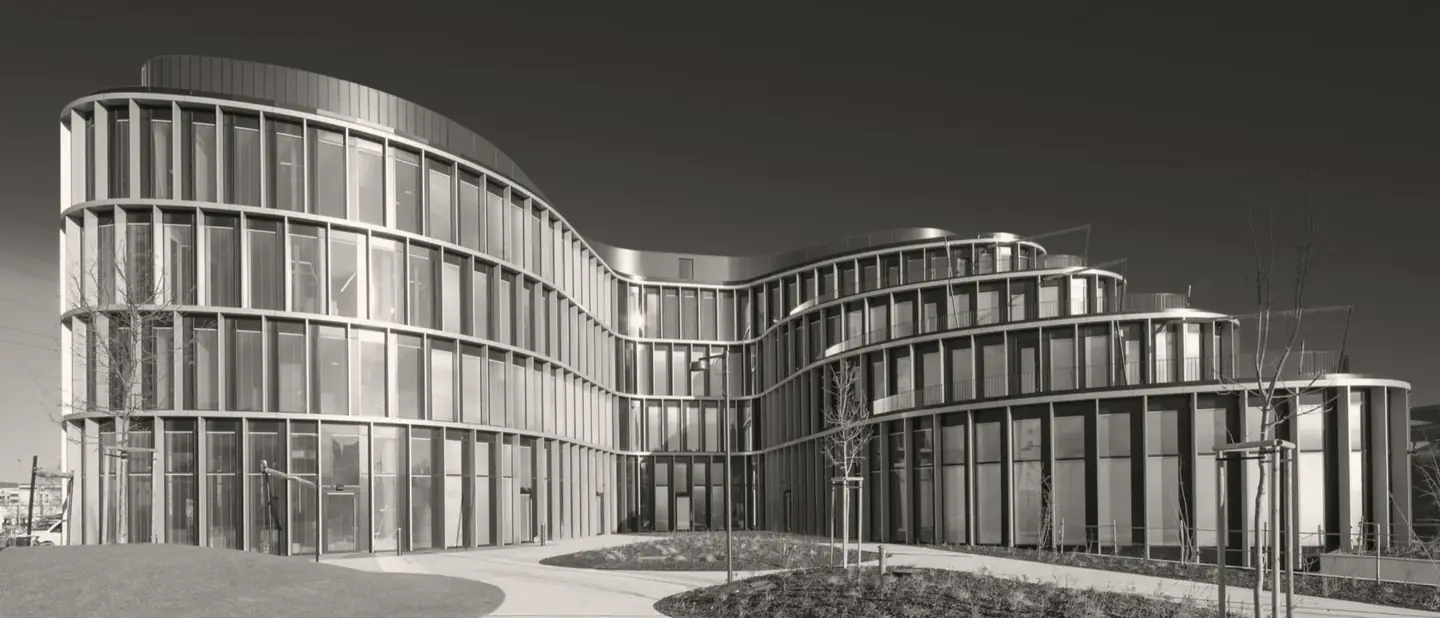
The curved glass facade of the Biometrics House building in Bratislava
Live in Bratislava

See it working at Biometrics House.

Every locker in our headquarters opens with face or palm biometrics, or a QR code. Visit us, or book a live remote demo.

Lockers in total 300
Locker banks 13
Bike lock spots 35
Keys handed out 0
Camera per bank 1