Branch hallBack officeVault
UNKNOWN
RuleVault · Cash team only · Always
Banks
Back offices, cash handling and vaults. Each zone admits only the right people, incidents are marked on your VMS timeline, and every one keeps a full log for audit.
Zone-level security for banks, critical infrastructure and company offices.
Cameras recognise who is in which zone of the building, with no extra doors or turnstiles. When someone shows up where they are not allowed, Zone Security raises an incident and escalates it step by step. When the person moves to a zone they are allowed in, the incident closes itself.

Why Zone Security
Access control logs who badged in at a door. An intrusion alarm reports that something moved in an empty building. Neither knows who is in a zone right now. Zone Security does, during business hours too, and it works next to the systems you already have.
Access control + alarm
Zone Security
Who it’s for
Zone Security is made for buildings with a higher expected level of security: banks and critical infrastructure, as well as company offices that want the same standard.
RuleVault · Cash team only · Always
Back offices, cash handling and vaults. Each zone admits only the right people, incidents are marked on your VMS timeline, and every one keeps a full log for audit.
RuleControl room · Operators only · Always
Control rooms, technical areas and server halls. Unknown people are flagged within seconds, day and night, and no data leaves the site.
RuleR&D · R&D team · Work hours
Shared floors, R&D, management and server rooms. People move freely, and the system only steps in when someone is where they shouldn’t be.
How it works
Zone Security runs on top of the Innovatrics SmartFace video platform. Each zone is defined by the cameras that watch it and lists the people allowed inside.
Every detection is matched against the building’s watchlists: employees, tenants, visitors, blacklist, VIP.
Each zone has its permitted watchlists. Anyone else, including unknown people, violates the zone.
Based on the zone, the person’s role and the time: during work hours, after hours or always.
A warning light at the zone, a Google Chat message, a warning on nearby screens or a mark on your VMS timeline. If the incident stays open, stronger steps follow.
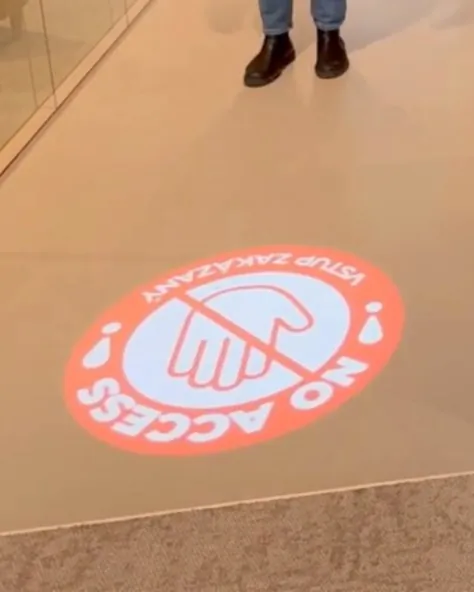
A warning light (gobo projector) turns on at the zone.
Reception gets a Google Chat message with a link to the incident.
If the incident is still open, the message goes to the security guard.
The person moved to a permitted zone: the incident closes and the light goes off.
Inside the app
The security manager sets up zones and triggers, the operator handles incidents. Everything runs in the Tricsy web application, on your own server.


Every zone lists its tracking status, its cameras and the watchlists allowed inside. Tick the cameras that cover it, and the zone is live.
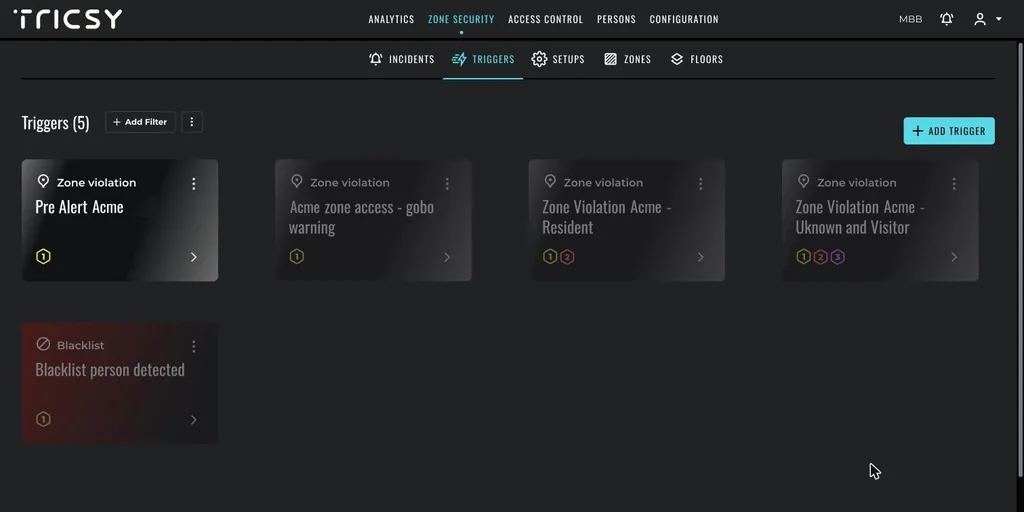
Pick the zones, roles and time of day a trigger watches, then the levels it escalates through and how long each one waits.


Detection span, minimum face size, the unknown-person delay and alert channels sit on one settings page. The defaults work for most buildings.
Features
The security manager defines floors, zones and triggers. The operator on duty sees only incidents and handles them from one list.
Tells residents, visitors and unknown people apart. A blacklisted person in a tracked zone also raises a separate incident.
A zone is simply the cameras that watch it. Assign the cameras and the watchlists allowed inside, and the zone is live. No floor plans to draw.
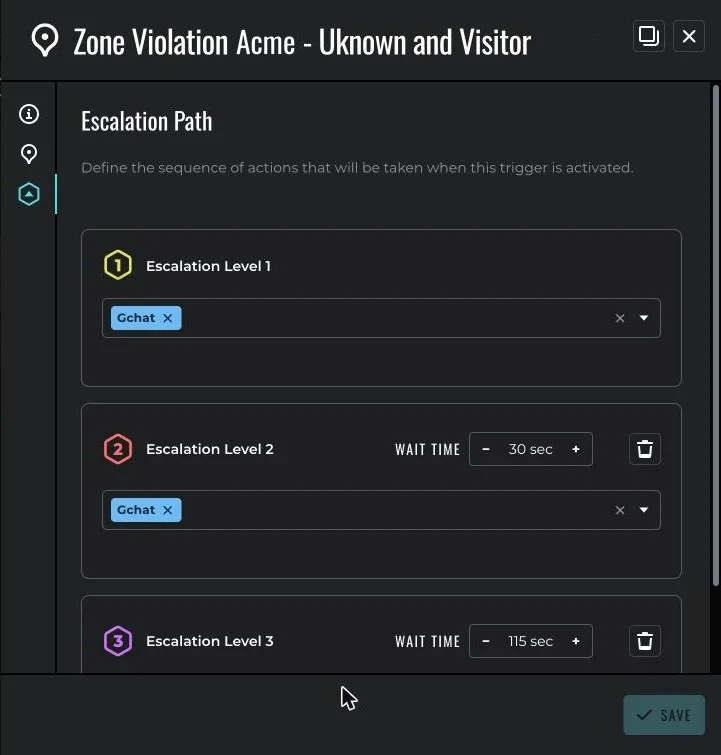
Each level has a wait time and actions: Google Chat, warning light, digital signage or a call to your VMS. Lights and screens keep warning while the incident is active.
A trigger marks the incident on the timeline of your video management system, such as Milestone XProtect or Nx Witness. Zone Security can also store the names of recognised people over time, so when you are looking for someone, you find them in the recording right away.
Camera snapshots, the zone and floor, who took the incident and a log of every step. Download the log for your report.
Runs on a local Linux server next to SmartFace. Old incidents are deleted automatically after a set period (30 days by default).
Cameras
A zone can have several cameras; each camera belongs to one zone. Cameras are processed in one of two ways and assigned to zones the same way, so you can mix both in one building.
Edge processing
Selected models from these camera brands can match faces on the edge



Coming soon
The rules, triggers and escalation you set up today stay as they are. New features build on top of them.

360° and perspective cameras are fused into one track per person on a 2D floor plan. One face match is enough: from then on, the cameras follow the movement, not the face. Zone Security checks that position against zone borders drawn on the plan.

At night it patrols predefined routes and avoids obstacles on its own. When an incident starts, it walks to the zone, searches all of it and checks who is really there.
In testing
In Biometrics House we connect zones with access control systems such as Integriti, Nedap or 2N. The door event and the live state of the zone together open up new rules.
One badge at the door, two people in the zone. The second one raises an incident.
When the building is evacuated, you see right away who is still inside and in which zone.
Nobody stays alone in a critical zone. When one person is left inside, the zone reacts.
Biometrics House
We’ll show it to you at Biometrics House in Bratislava, where it runs every day, or in an online meeting.